Write once. Preview every page.
A calm place to shape your Markdown documents and see exactly how they will read when they leave the screen — with a pagination engine that predicts real page breaks before you print.
No account required. Your documents stay in your browser.
Features
Everything you need to shape a document
From the first keystroke to the printed page.
Fidelity-first preview
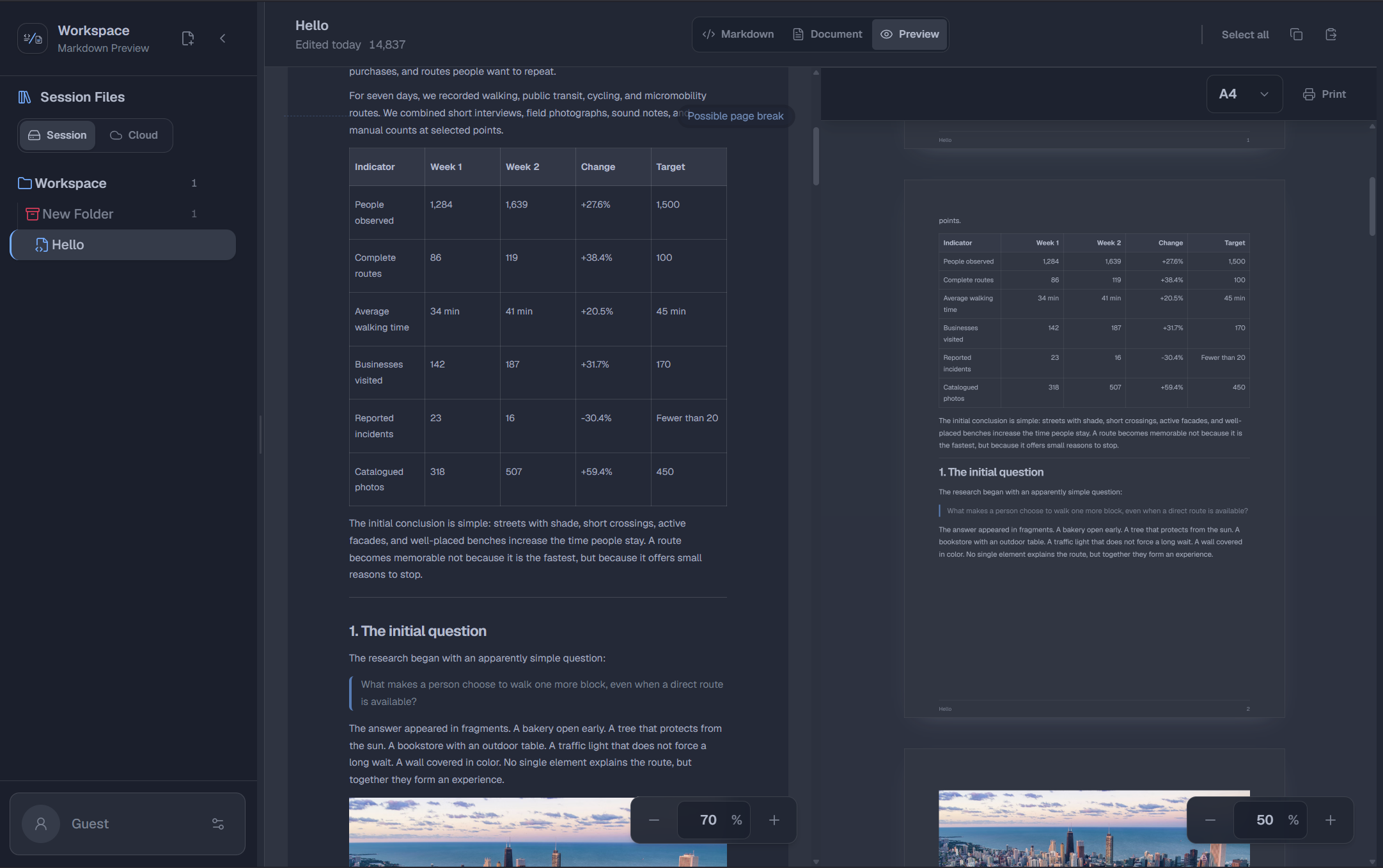
A pagination engine measures every block — paragraphs, lists, code, blank space — and predicts exact page breaks.
Three editing modes
Markdown source, WYSIWYG document editor, and paper preview. Switch freely — edits stay in sync.
Real paper sizes
A4, A5, Letter, and Legal with accurate margins, footers, and block spacing. Zoom in and out.
Print-ready
Browser print output matches the preview page for page.
Paper-accurate pagination
Paragraph, list, and code-block strategies with page-break markers synced to the editor scroll.
Document workspaces
Folders and documents with drag and drop, rename, move, delete, and per-folder icons and colors.
Local-first
Documents persist in IndexedDB. Works fully without an account.
Optional cloud sync
Sign in and keep your workspace in the cloud — PostgreSQL plus Cloudflare R2.
Internationalized
English, Spanish, and Italian.
Themes
Light, dark, and more themes with smooth transitions.
Responsive
Split desktop view, bottom navigation on mobile.
Accessible
Keyboard-resizable sidebar, ARIA-labeled controls, focus-visible styles.
Real paper sizes
A4, A5, Letter, and Legal with accurate margins, footers, and block spacing. Zoom in and out.
Product tour
From blank page to print
Watch the workspace in action.
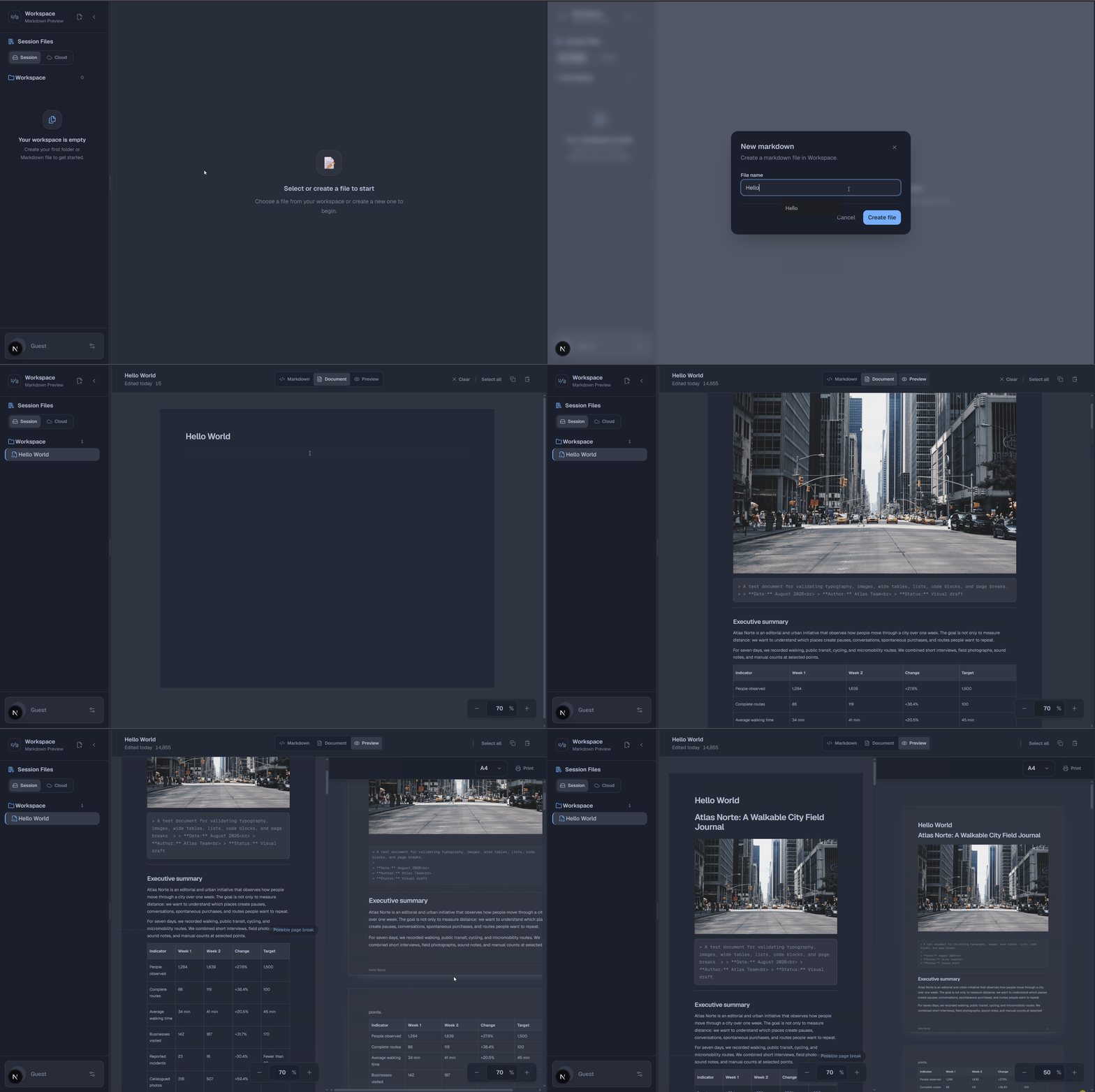
Create and preview
Create a Markdown file and see the same content in Document and Preview modes.
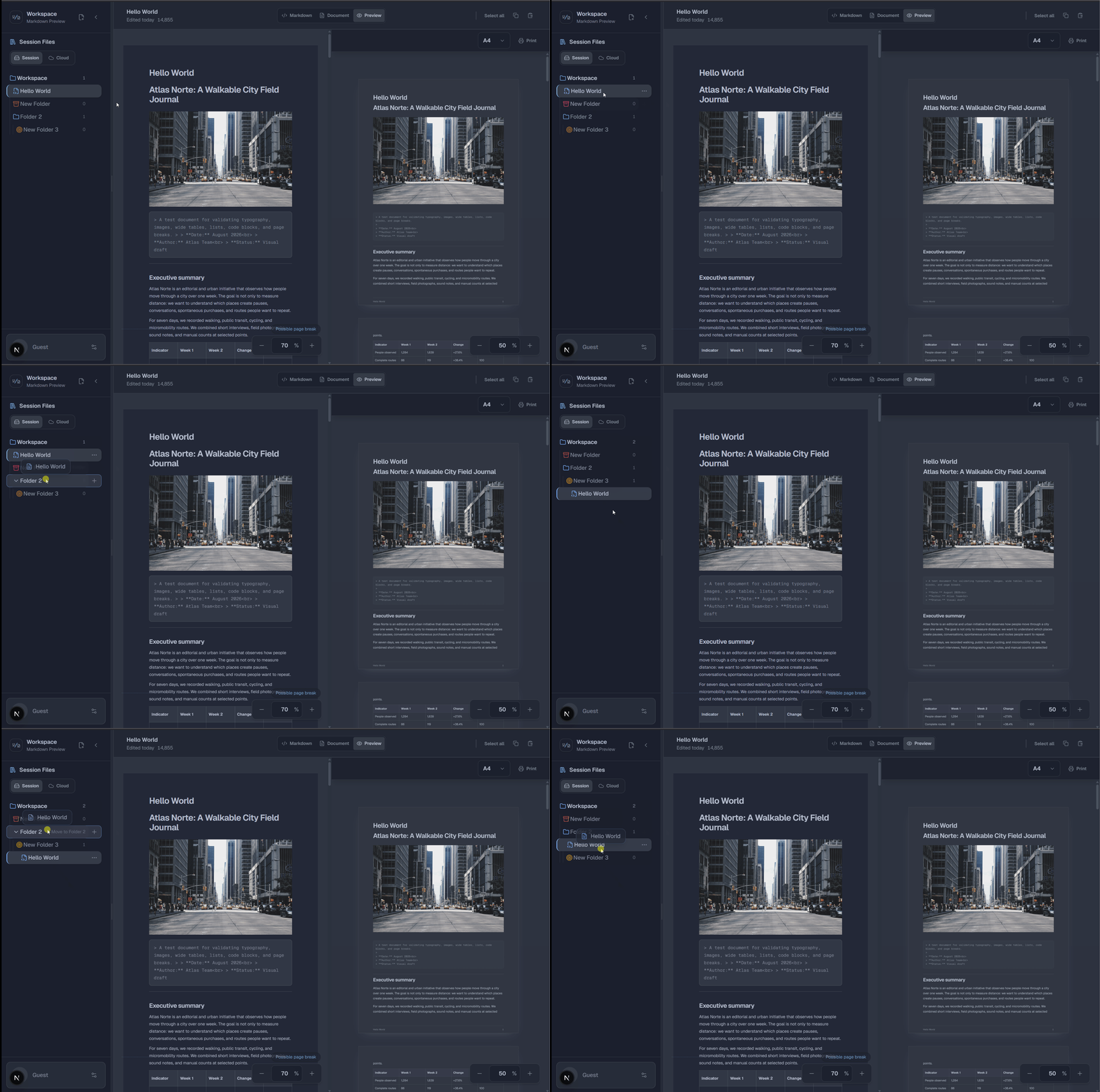
Organize files and folders
Move files and folders inside the on-device workspace with drag and drop.
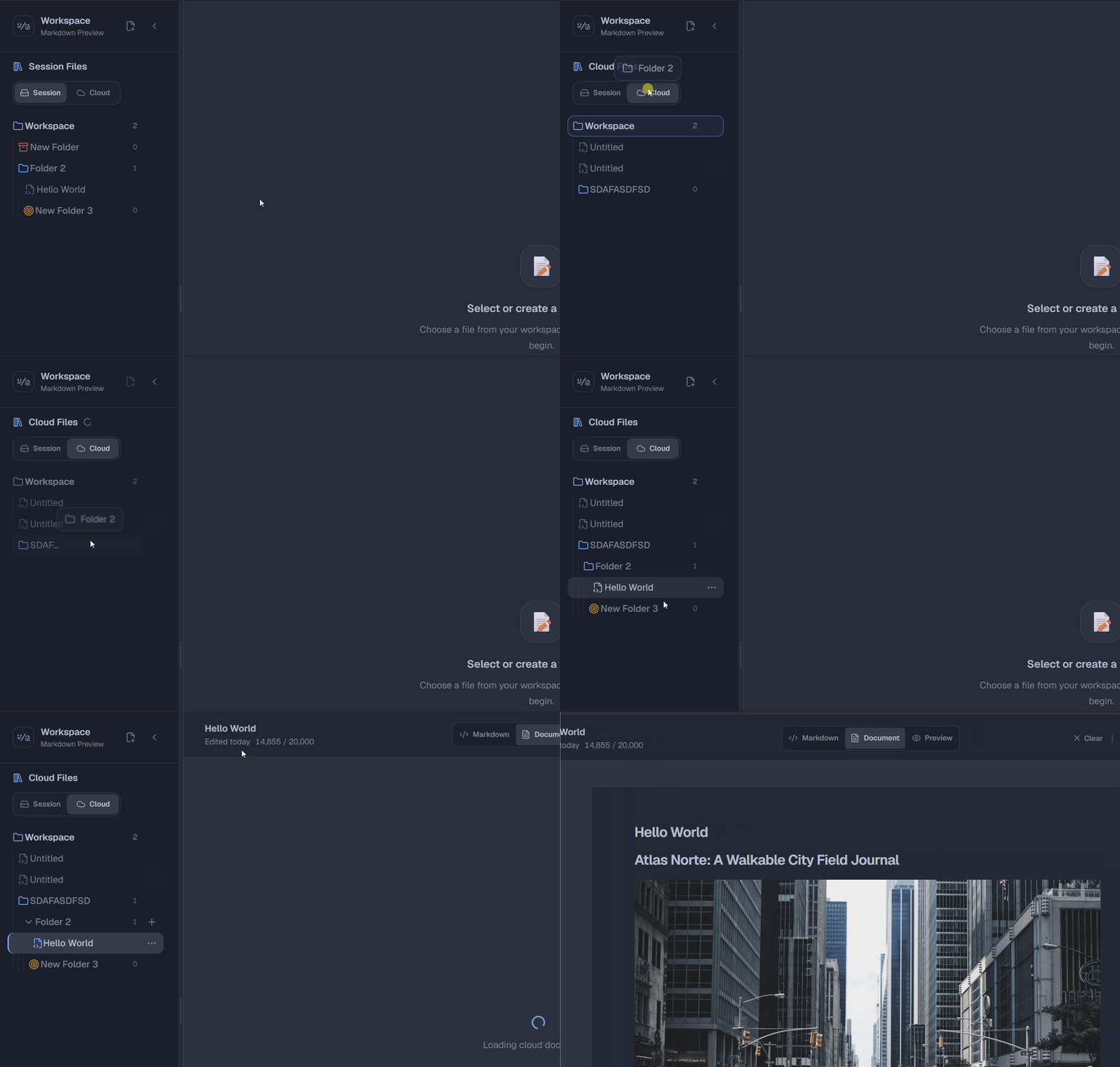
Move folders and files between Local and Cloud
Move your folders and Markdown files from Local to Cloud and back again.
Desktop workspace
The desktop layout keeps the file tree, editor, and paper preview visible together.
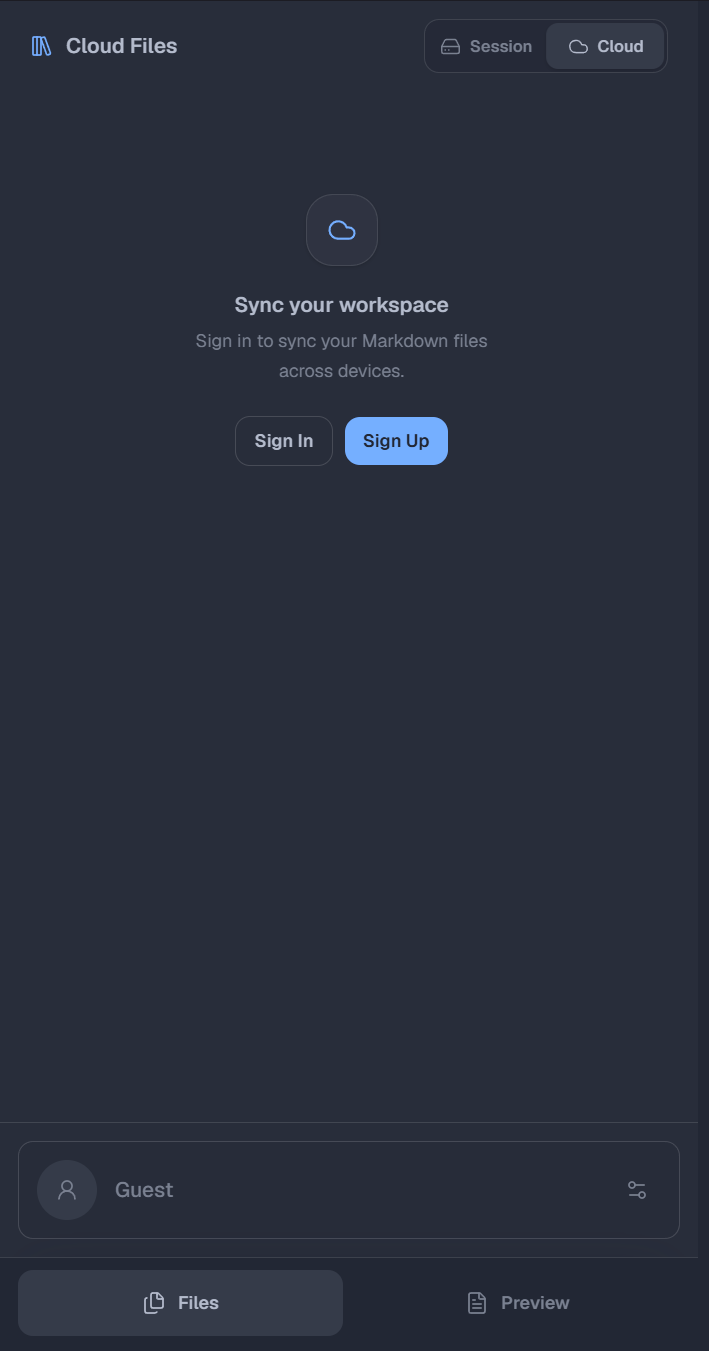
Mobile workspace
The responsive layout switches to focused file and preview sections with bottom navigation.
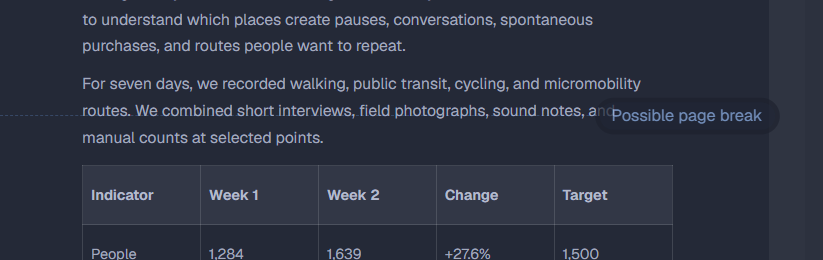
Page-aware preview
The editor marks possible page breaks while you work, keeping the printed result predictable.
Tech stack
Built for precision
A pragmatic stack, from editor to database.
- Next.js 16 + React 19
- TipTap 3 WYSIWYG editor
- unified / remark parsing
- turndown serialization
- Zustand + IndexedDB
- next-intl (en, es, it)
- Tailwind CSS v4
- Go 1.25 + Echo
- PostgreSQL + Cloudflare R2
- better-auth